
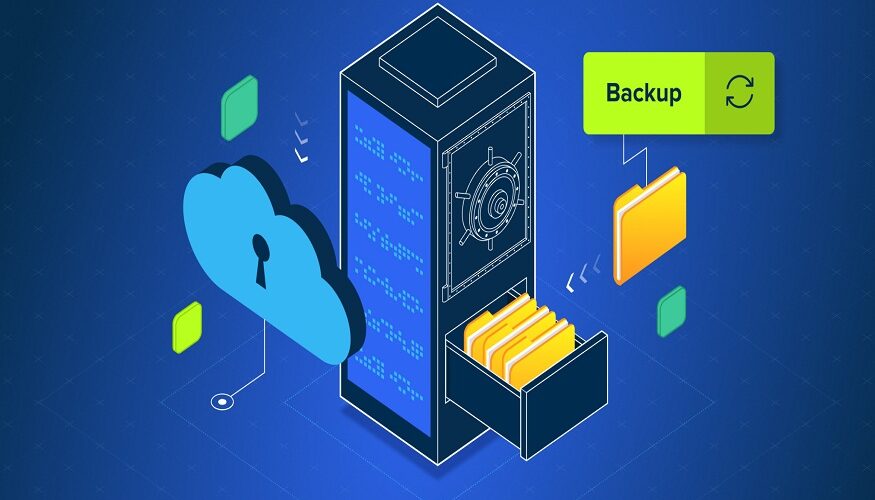
Key Takeaways
|
Regardless of the business type, a small IT team always struggles to back up business data without going over budget. Whether it is ransomware, accidental deletion, or hardware failure, reliable backup is no longer optional.
The real question for many businesses in 2026, therefore, is: should you invest in backups?
Read More : How 5G Is Revolutionising Prepaid SIM Card Internet Speeds: Real Data and Facts
While both options can protect your data, the total cost, maintenance effort, and scalability can vary significantly over time. In this post, let’s discuss both options to see which one is more cost-efficient for small businesses.
What is a Backup Server?
A backup server is an on-premises data backup system in which your business data will be stored in the form of a backup. The setup consists of hardware, backup software, storage, networking equipment, an ancillary backup server, and maintenance costs.
For small IT teams, a backup server offers:
- Full control over data
- Faster local recovery number of ery speeds workload hardware ownership
- Custom backup configurations
However, owning infrastructure also means handling upgrades, repairs, monitoring, and security internally.
What Is Cloud Backup?
Cloud backup helps store business data in secure off-site data centers managed by a third-party provider. Businesses typically pay monthly or annual subscription fees based on storage usage, users, or workloads.
Cloud backup solutions usually include:
- Automatic backups
- Remote access
- Built-in redundancy
- Security updates
- Disaster recovery support
For small IT teams with limited manpower, cloud backup reduces the burden of managing physical infrastructure.
Backup Server vs Cloud Backup: Upfront Cost Comparison
Here is a clear cost comparison of both these options-
Backup Server Costs
A backup server often requires a significant investment. The get-started cost components for businesses here include-
- Server hardware
- Backup software licenses
- Rack space and cooling
- Setup and deployment
Cloud Backup Costs
Cloud backup usually has lower startup costs. Most service providers use subscription pricing, allowing businesses to begin with minimal investment.
Instead of buying hardware, businesses pay predictable monthly fees for storage and services. This makes cloud backup attractive to startups and growing companies looking to preserve cash flow.
Backup Server vs Cloud Backup: Long-Term Operational Costs
Backup Server Maintenance
The hidden costs of backup servers often appear later. Small IT teams must manage:
- Hardware replacement
- Drive failures
- Electricity usage
- Cooling costs
- Software renewals
- Security patches
- IT labor
As storage needs grow, scaling an on-premises backup environment can become expensive and time-consuming.
Cloud Backup Subscription Growth
Cloud backup eliminates hardware maintenance, but recurring subscription fees continue indefinitely. Costs may increase as:
- Data volume grows
- Retention periods expand
- More endpoints are added
For businesses with very large datasets, long-term cloud storage expenses can eventually exceed the cost of owning local hardware.
Recovery Speed Considerations
Backup servers usually offer faster local restores because data stays on-site. Large-file recoveries can happen quickly without bandwidth limitations.
Cloud backup recovery speeds depend on internet connectivity and provider infrastructure. While modern cloud systems have improved dramatically, restoring massive datasets may still take longer compared to local backups.
For businesses where every minute of downtime matters, hybrid strategies are becoming popular.
The Hybrid Backup Approach
Many small businesses now combine both solutions:
- Local backup server for fast recovery
- Cloud backup for disaster recovery and redundancy
This approach balances speed, security, and scalability while reducing single points of failure.
Although hybrid environments cost slightly more, they often provide the best overall protection for growing companies.
Which Option Is More Cost-Effective?
Generally, for small IT teams in 2026, cloud backup is the cheapest option as it comes with:
- Lower starting costs
- Little maintenance
- Scales much easier
- Less strain on the IT department
- Disaster recovery included
However, organisations with very large storage requirements, very high levels of compliance, and very fast restore requirements might consider adopting a backup-as-a-service pricing model for their business to avoid the cost.
The right decision ultimately depends on your storage growth, recovery goals, budget, and available IT resources.
To Conclude
For small IT teams, managing backups internally can quickly become expensive, time-consuming, and difficult to scale. While backup servers offer control, and cloud backup adds flexibility, many businesses are now turning to Backup as a Service (BaaS) for a more practical long-term solution.
Read More : SEBI’s CSCRF Framework: Understanding the Essential Points
In 2026, BaaS stands out as the most cost-effective backup server option for growing businesses seeking reliable data protection without increasing IT workload or infrastructure costs.
FAQs
- Which is more cost-effective for small IT teams: backup server or cloud backup?
Cloud backup is usually more cost-effective for small IT teams because it has lower upfront costs, minimal maintenance, and easier scalability. - What are the main costs of a backup server?
A backup server includes hardware, backup software, setup, cooling, electricity, repairs, and ongoing IT maintenance costs. - Does a backup server offer faster recovery than cloud backup?
The best practice is a hybrid approach: local backup for a quick solution & cloud backup for disaster recovery/off-site redundancy. - When can cloud backup costs become unpredictable or escalate?”
Cloud backup costs can escalate when data volumes grow significantly, retention periods extend beyond industry standards, frequent data retrieval triggers egress fees, or multiple devices/users are added.
- Is a hybrid backup strategy worth it for small businesses?
Yes, a hybrid setup can offer the best balance of cost, speed, and disaster recovery by combining local and cloud storage. - What should small IT teams consider before choosing a backup solution?
They should evaluate budget, storage growth, recovery speed, compliance requirements, and available IT resources.